
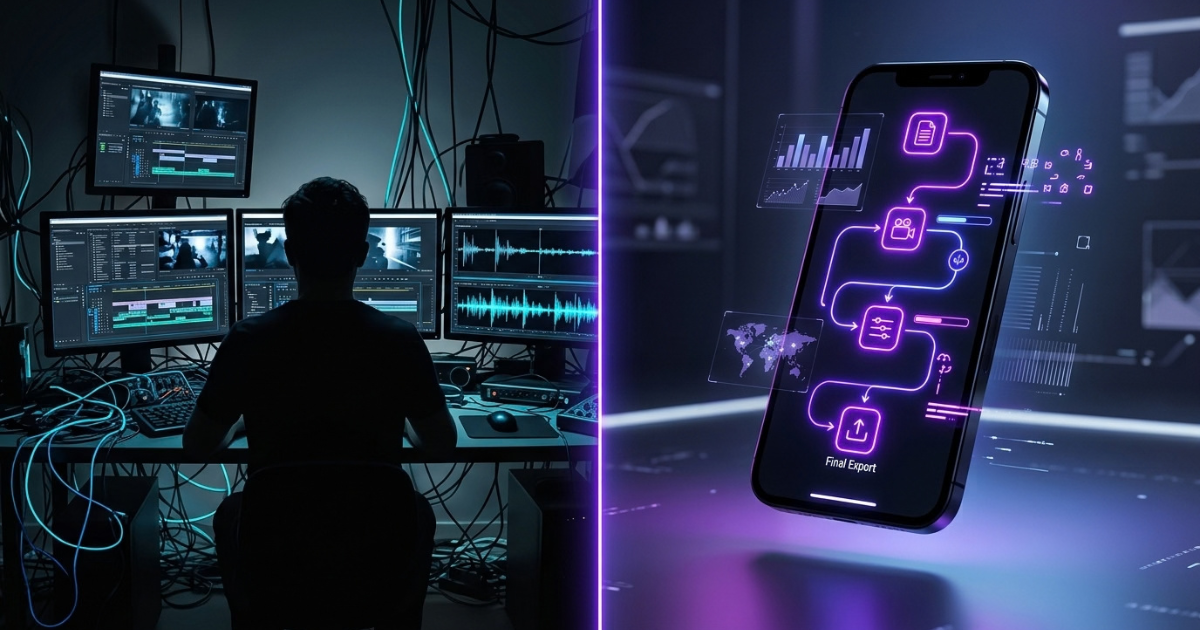

Yes. And if you have ever spent an entire afternoon cutting clips, fixing subtitles, recording the same voiceover three times, and searching for the right background footage, you already know why that matters.
AI can now take a simple idea and turn it into a video with a script, voiceover, visuals, captions, and basic editing. You still need to review the result, but the amount of manual work can be dramatically reduced.
That is probably why more people are asking a very simple question: Can AI create a video for me?
The answer is yes—but there is an important catch.
AI video tools are not magic buttons. The quality of the final video depends heavily on the idea you give them, the instructions you use, the platform you choose, and how much human editing you do afterward.
For a creator, small business owner, marketer, freelancer, or someone simply trying to make videos without becoming a professional editor, that can still be a huge advantage.
Here are 7 powerful ways AI can help you create better videos without doing every step manually.
1. Can AI Create a Video for Me From Just an Idea?
This is probably the most useful part of modern AI video creation.
You do not necessarily need to start with a finished script. You can begin with something as simple as an idea.
For example:
“Create a short video explaining why people waste so much money on unused subscriptions.”
An AI video platform can turn that basic idea into a structured script, suggest a hook, divide the story into scenes, and recommend visuals.
That can save a surprising amount of time.
Traditionally, you might have to:
- Research the topic
- Write the script
- Rewrite the introduction
- Find stock footage
- Record a voiceover
- Add the footage to an editor
- Add captions
- Adjust the timing
- Export the video
AI can combine many of those steps into one workflow.
That does not mean you should publish the first version it creates.
Think of AI as your production assistant rather than your entire production team. You provide the direction, and the software handles much of the repetitive work.
This approach works especially well for short educational videos, social media clips, product explainers, list videos, tutorials, and faceless content.
2. Use AI to Write a Stronger Video Script
A video can have beautiful visuals and still fail if the script is boring.
The first few seconds matter because people scrolling through TikTok, YouTube Shorts, or Instagram Reels have plenty of other videos waiting for them.
Instead of asking AI to simply “write a video,” give it a clear purpose.
For example:
“Write a 45-second video explaining three reasons people struggle to save money. Start with a surprising question and keep the language conversational.”
That gives the AI more useful instructions.
A good script usually needs three basic ingredients:
A strong opening. Give viewers a reason to keep watching.
A clear middle. Explain the idea without unnecessary filler.
A useful ending. Give the viewer something they can remember, try, or think about.
You can also ask AI to rewrite the same script for different audiences.
A financial tip aimed at college students should not sound exactly like a financial tip aimed at a 45-year-old business owner.
That is one of the places where human judgment still matters.
AI can generate words quickly. You decide whether those words actually sound like something a real person would say.
3. Let AI Handle Voiceovers and Captions
Recording a voiceover can be one of the slowest parts of making a video.
You need a quiet place, a microphone, multiple takes, and sometimes a lot of editing.
AI voice generation has made that process much easier.
Modern tools can turn a written script into a spoken voice and allow creators to adjust things such as pacing and delivery. Some platforms also provide different voices for different types of content.
This can be particularly useful if you are creating:
- Explainer videos
- Product demonstrations
- Short educational videos
- News-style updates
- Faceless YouTube content
- Social media advertisements
Captions are another area where AI can save time.
Instead of manually typing every sentence and matching it to the audio, an AI editor can automatically transcribe the speech and place captions on the video.
You should still check the captions before publishing.
AI can misunderstand names, technical terms, slang, or accents. A single incorrect word can completely change the meaning of a sentence.
So the better workflow is simple: let AI create the first version, then give it a human check.
4. Turn Text Into Visual Scenes and B-Roll
Imagine writing a sentence about someone checking their bank account.
You could spend ten minutes searching stock footage for the perfect clip.
Or you could let an AI-powered video editor suggest a visual that matches the sentence.
That is where text-to-video and automated B-roll tools become useful.
The software can analyze your script and break it into different scenes. It may then recommend stock footage, generated visuals, animations, or other assets that match the topic.
For example, a video about remote work might automatically suggest visuals of:
- A person working on a laptop
- A home office
- A video meeting
- A calendar
- A coffee shop workspace
You do not have to accept every suggestion.
In fact, you probably shouldn’t.
Some automatically selected clips will feel generic or completely miss the point. Replace those when necessary.
The goal is not to remove your creative input. The goal is to remove the boring searching and organizing that takes up your time.
That difference is important.
5. Build a Faster Video Production Workflow
The real advantage of AI becomes clearer when you stop thinking about one video and start thinking about an entire content system.
Suppose you want to publish three short videos every week.
Without automation, every video might require:
Idea → Research → Script → Voiceover → Visuals → Editing → Captions → Export → Upload
That can become exhausting very quickly.
With AI-assisted tools, many of those steps can be connected.
You could start with one topic, generate several possible hooks, select a script, create a voiceover, match visuals, add captions, and export the video from the same general workflow.
Platforms such as Crayo AI and InVideo are designed around this kind of simplified video creation.
Other automation platforms can also connect different parts of a workflow.
For example, an automation system could take a topic from a content calendar, send it to an AI writing tool, prepare the script, and move the result into another part of your production process.
The more repetitive your content is, the more useful this becomes.
A creator making one highly cinematic brand film every six months may not need much automation.
A creator producing five short videos every week has a completely different problem.
6. Choose the Right AI Tool for the Job
There is no single AI tool that is perfect for every video project.
That is an important point because it is easy to get distracted by lists of “best AI tools” and assume one platform can do everything.
Different tools are better suited to different tasks.
For example, a video-focused platform may be useful when you want to turn a script into a finished social video quickly.
An AI writing assistant may be better for developing the script and improving the wording.
A general-purpose AI model may be useful for brainstorming topics, researching an outline, creating variations of a hook, or organizing a content plan.
Automation platforms can help connect these different steps.
Think of your workflow like a small production team.
One tool handles the writing.
Another handles video creation.
Another handles automation.
You remain the person making the creative decisions.
That approach is often more practical than trying to force one application to handle every part of the process.
And before choosing a platform, check the details that actually matter to you: pricing, export quality, watermark restrictions, commercial usage rights, available voices, editing controls, and the amount of manual editing required.
A tool that looks impressive in a demonstration may not fit your actual workflow.
7. Use AI to Create More Videos Without Losing the Human Touch
This is probably the most important lesson of all.
AI can help you make videos faster.
It cannot automatically make every video interesting.
There is a difference.
If you give an AI tool a vague prompt, accept every generated scene, use the first voice it suggests, and publish the result without watching it, your content can quickly feel repetitive.
Viewers notice that.
The strongest approach is to let AI handle the repetitive tasks while you handle the decisions that require taste and judgment.
You decide:
- What the video is actually about
- Who should watch it
- What message matters
- Which hook feels natural
- Which visuals fit the story
- What information needs verification
- Where the video should slow down
- What should be removed
- Whether the final version is worth publishing
That human layer is still valuable.
Think about it this way: AI can help you build the house faster, but you still need to decide what kind of house you want to build.
What About AI and Generative Search?
There is another change creators should pay attention to.
People are increasingly asking AI systems questions in a conversational way instead of always typing traditional search phrases.
That means content creators should think about how real people actually ask questions.
Instead of forcing awkward keywords into every sentence, write clear answers to real questions.
For example, someone might ask:
“Can AI create a video for me?”
That is a natural question.
Your content can answer it directly, explain what AI can do, show the workflow, and explain where human editing is still necessary.
This conversational approach can also make articles and video scripts easier for ordinary readers to understand.
The basic principle is simple: write for people first, while making the information easy for search and AI systems to understand.
So, Can AI Create a Video for Me?
Yes—but think of it as a collaboration rather than a replacement for creativity.
AI can help with the parts of video production that usually eat up your time.
It can help develop a script, generate or assist with a voiceover, suggest visuals, create captions, organize scenes, and speed up repetitive editing.
For someone who creates content regularly, those time savings can add up quickly.
But the final quality still depends on the person behind the screen.
A good video needs a reason to exist. It needs a clear audience, a useful idea, a natural script, and enough human judgment to prevent the final result from feeling like another piece of automatically generated content.
The smartest workflow is therefore not AI does everything.
It is AI handles the repetitive work while you handle the important decisions.
That is where these tools become genuinely useful.
If you have been avoiding video because editing feels too complicated or time-consuming, you no longer have to start with a professional editing suite and a complicated production setup.
Start with one idea.
Give AI a clear instruction.
Create a first version.
Watch it carefully.
Fix what feels wrong.
Then publish.
The technology can take care of more of the production than ever before. Your job is to make sure there is still a real human reason for someone to watch.

I am Bhaktahari Dahal, the founder and writer of Byte and Trail. I passionately research technology, blogging, and diverse fields to deliver clear, simplified, and engaging content for my readers. Welcome aboard!