
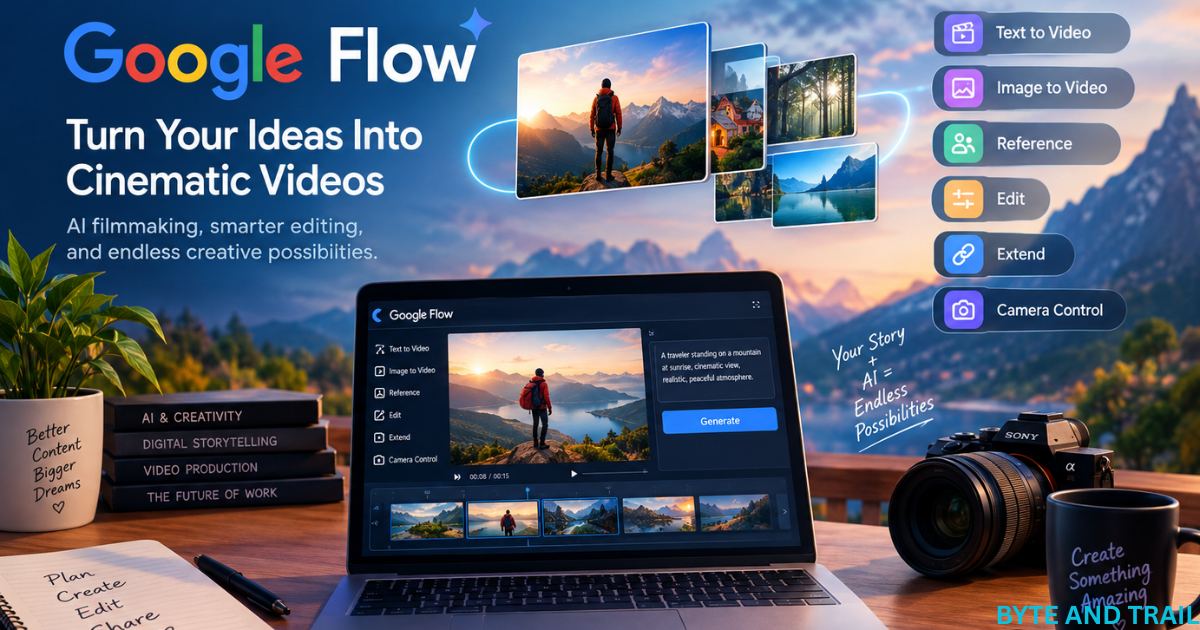

Artificial intelligence is changing the way people create videos, and Google Flow is becoming one of the most interesting tools for creators, filmmakers, marketers, and everyday users. Instead of needing a complete production team, expensive cameras, and complicated editing software, creators can now use AI to turn ideas into cinematic video scenes.
Google Flow is designed as an AI creative studio that brings together video generation, image creation, editing, and creative controls. It works with Google’s advanced generative AI models, including Veo 3.1, Gemini Omni, and Nano Banana.
But what exactly is Google Flow, how does it work, and why are so many creators paying attention to it?
This guide explains the most important things you should know before getting started.
What Is Google Flow?
Google Flow is an AI filmmaking and creative tool from Google designed to help users create cinematic clips, scenes, and stories with generative AI.
Rather than treating AI video generation as a simple text-to-video feature, Flow provides a broader creative workspace. You can develop an idea, create visual assets, generate video clips, make edits, and refine your project as you work.
Google says Flow was built with creatives and filmmakers in mind. Its current capabilities include text-to-video generation, frames-to-video, reference or ingredient-based video creation, video extension, video-to-video editing, and scene-building tools.
This makes Google Flow particularly interesting for people who want to experiment with filmmaking without having to master every traditional production technique first.
Why Is Google Flow Different From a Basic AI Video Generator?
A basic AI video generator may allow you to enter a prompt and receive a short video.
Google Flow goes further by giving creators more control over how a project develops.
For example, creators can work with reference images, characters, scenes, camera movement, and different generations. Newer Flow features also allow creators to use start and end frames to guide transitions between shots.
That difference is important.
Instead of simply asking AI to “make a cinematic video,” you can gradually build a visual story and refine it.
7 Reasons Creators Are Interested in Google Flow
There are several reasons Google Flow is attracting attention from the growing AI video community.
1. Create Cinematic Videos From Simple Ideas
One of the biggest advantages of Google Flow is the ability to transform an idea into a visual scene.
You might start with something as simple as:
“A lone traveler walking through a snowy Scandinavian village at sunrise.”
AI can interpret the description and generate a cinematic scene based on the prompt.
For creators, this opens interesting possibilities for travel videos, short films, advertisements, educational content, concept videos, social media clips, and storytelling.
The technology does not remove the need for creativity. Instead, it lowers the technical barrier between an idea and a visual result.
2. Use Google’s Veo Video Models
Google Flow works with Google’s advanced video-generation models, including Veo 3.1.
Veo is designed for realistic video generation and supports capabilities such as text-to-video, image-to-video workflows, first-and-last-frame generation, object manipulation, character controls, and motion controls.
This is one of the main reasons Google Flow is attracting filmmakers and content creators.
The quality of an AI video depends heavily on the underlying model. By bringing Google’s video models into Flow, creators can work with a powerful generation system inside a broader creative environment.
3. Build More Consistent Scenes
Consistency is one of the biggest challenges in AI-generated video.
If you create a character in one scene and then generate another scene, the character can sometimes look noticeably different.
Google Flow attempts to address this problem through reference-based workflows and tools designed for maintaining visual elements across a project.
Its current features include ingredients or references to video and character-related controls.
This can be especially useful when creating a story that contains the same person, object, location, or visual style across multiple shots.
4. Start and End Frames Give Creators More Control
One of the newer capabilities in Google Flow is the ability to provide a beginning and ending frame for a video generation.
This allows AI to create a transition between two visual points rather than leaving the entire sequence to chance.
For example, imagine starting with a wide shot of a mountain and ending with a close-up of a traveler standing beside a lake.
Instead of generating an unrelated clip, the creator can use the two frames to help guide the transition.
Google recently highlighted this feature as part of its new creative controls for Flow.
This type of control can be valuable for cinematic storytelling because transitions are an important part of visual filmmaking.
5. Edit Videos Using Natural-Language Instructions
Another interesting aspect of Google Flow is its move toward conversational editing.
With Gemini Omni integration, creators can work with video and reference material while using natural-language instructions to make changes.
Google says Gemini Omni can create and edit videos from real or generated reference inputs.
This means the editing process can become more accessible to people who are not experienced with traditional video-editing software.
Instead of learning dozens of buttons and menus, a creator can increasingly describe what they want to change.
That does not mean professional editing software is no longer useful. Rather, AI can make some creative tasks faster and easier.
Google Flow and the Future of AI Video Creation
The development of Google Flow shows where AI-assisted filmmaking may be heading.
Traditional filmmaking usually requires several stages: planning, filming, recording audio, editing, visual effects, colour correction, and final production.
AI tools are beginning to combine parts of these processes.
Google Flow is moving toward a workflow where creators can develop an idea, generate visual material, refine it, and build scenes inside the same creative environment.
Google’s recent updates also added higher-resolution output options and faster draft workflows. Creators can experiment with lower-resolution drafts before committing to a higher-quality generation.
This could make experimentation much more practical.
Instead of spending a large amount of time perfecting every generation, creators can test several ideas first and then invest more resources in the version they like best.
Who Can Benefit From Google Flow?
Google Flow is not only for professional filmmakers.
It can be useful for many types of creators, including:
- YouTubers
- Short-film creators
- Digital marketers
- Social media creators
- Travel creators
- Bloggers
- Advertisers
- Students
- Storytellers
- Independent filmmakers
- Creative agencies
A YouTube creator could use Flow to create an opening sequence.
A blogger could create supporting video content for an article.
A marketer could develop a visual concept for an advertisement.
A filmmaker could experiment with a scene before spending money on a physical production.
This flexibility is one of the strongest reasons to keep an eye on Google Flow.
Is Google Flow Easy for Beginners?
The answer is yes, but with a learning curve.
You do not need to be a professional filmmaker to begin experimenting with Google Flow. However, getting consistently good results requires more than simply entering random prompts.
The quality of your instructions matters.
A useful prompt can describe:
- The subject
- The environment
- The camera angle
- Lighting
- Movement
- Mood
- Visual style
- Time of day
- Important details
For example, instead of writing:
“A man walking in a forest.”
you could describe the scene more precisely:
“A cinematic wide shot of a lone traveler walking slowly through a misty pine forest at dawn, soft natural light filtering through the trees, gentle camera movement, realistic textures, atmospheric mood.”
The second prompt gives the model considerably more information about the scene you want.
This is why prompt writing is becoming an important creative skill in AI filmmaking.
What Makes Google Flow Worth Watching?
Google Flow is interesting because it represents a shift from simple AI-generated clips toward a more complete creative workflow.
The goal is not simply to generate one impressive video.
The bigger opportunity is to create connected scenes, characters, images, and stories while maintaining greater creative control.
With Veo 3.1, Gemini Omni, Nano Banana, reference-based generation, editing capabilities, and scene-building tools working within the Flow ecosystem, Google is positioning the platform as a broader AI creative environment.
For creators who are already exploring AI video, this makes Google Flow a tool worth learning.
And for people who have never created a film before, it may provide an easier way to turn imagination into something visual.
How to Use Google Flow to Create Better AI Videos
Google Flow becomes much more useful when you understand how to approach it as a creative filmmaking tool rather than simply a video generator.
The best results usually come from combining a clear idea, detailed prompts, reference images, camera instructions, and several rounds of refinement. You do not have to get everything perfect in your first generation.
Instead, think of AI filmmaking as a creative process: plan, generate, review, refine, and build.
How to Get Started With Google Flow
Getting started with Google Flow is relatively straightforward. You first access Flow through Google’s supported Flow experience and sign in with an eligible Google account.
Once inside, you can begin a new project and start experimenting with prompts, images, and video generation.
The exact interface and available features can change as Google continues to update the platform, so some buttons or options may look different over time.
The basic creative process, however, is easy to understand.
Step 1: Start With a Clear Story Idea
Before generating anything, decide what you want your video to communicate.
For example, imagine you want to create a short travel scene.
Instead of immediately generating random clips, decide:
- Where does the scene happen?
- Who is the main character?
- What is happening?
- What mood should the video create?
- How should the camera move?
- What should the viewer see first?
- What should happen at the end?
A simple idea can become much more powerful when it has a beginning, middle, and end.
Step 2: Write a Detailed Prompt
Your prompt is the instruction you give the AI.
A strong prompt should provide enough information for the model to understand the scene without making the description unnecessarily complicated.
For example:
“A cinematic shot of a young traveler walking beside a quiet mountain lake at sunrise, surrounded by green hills and light morning mist. The camera slowly follows from behind, natural lighting, realistic details, peaceful atmosphere, cinematic composition.”
This gives the model information about the subject, location, time, movement, lighting, and mood.
Step 3: Generate and Review the Result
Once your prompt is ready, generate the scene and carefully review it.
Do not judge the result only by whether it looks beautiful.
Ask yourself:
- Does the character look correct?
- Is the movement natural?
- Is the camera doing what I requested?
- Does the environment match my story?
- Are objects behaving realistically?
- Does the scene connect with the previous shot?
If something is wrong, change the prompt or use another creative control rather than simply accepting the first result.
This iterative process is one of the most important skills for AI video creation.
Create Consistent Characters With Reference Images
One of the biggest challenges in AI filmmaking is keeping a character visually consistent.
A character might have different clothing, facial features, hairstyle, or body proportions when generated in separate scenes.
Reference-based workflows can help creators maintain important visual elements.
Google Flow supports the use of reference material, including images and other creative inputs, to guide generations. Google refers to these as “ingredients” in its Flow workflow.
For example, you could create an image of a fictional traveler and then use that visual reference when developing additional scenes.
This can make the overall project feel more connected.
Use the Same Character Across Multiple Scenes
Imagine that your story contains five scenes:
- The traveler arrives at a mountain village.
- The traveler walks through the village.
- The traveler reaches a forest.
- The traveler discovers a lake.
- The traveler watches the sunset.
Without visual references, maintaining the same appearance can be difficult.
With a carefully prepared reference, you can give the AI a stronger visual foundation for subsequent scenes.
This is particularly valuable for short films, advertisements, storytelling videos, and YouTube projects.
Improve Results With Better Camera Instructions
AI filmmaking is not only about describing what appears in front of the camera.
You can also describe how the camera should capture the scene.
Useful camera terms include:
- Wide shot
- Close-up
- Medium shot
- Low-angle shot
- High-angle shot
- Tracking shot
- Slow push-in
- Pan
- Tilt
- Over-the-shoulder shot
- Aerial shot
For example:
“A wide cinematic shot of a mountain village, followed by a slow camera push toward a traveler standing near a wooden house.”
Camera instructions can help make an AI-generated scene feel more intentional.
Instead of showing an object from an arbitrary viewpoint, you are giving the AI a clearer idea of the visual language you want.
Create More Natural Motion
Movement is another important part of AI-generated video.
A scene can look impressive as a still image but become less convincing when characters or objects begin moving.
When writing prompts, describe the movement clearly.
For example:
“The woman slowly walks toward the camera while her coat moves gently in the wind.”
is more useful than simply saying:
“A woman walking.”
You can also describe environmental movement:
“Tree branches gently move in the wind while light fog slowly passes through the forest.”
Small details like these can make a scene feel more alive.
Use Start and End Frames for Creative Transitions
One of the most useful creative controls in Google Flow is the ability to work with beginning and ending frames.
Instead of asking the AI to decide the entire visual progression by itself, creators can provide visual guidance for where a sequence should begin and where it should finish.
For example, the first frame could show:
A traveler standing on a mountain path.
The final frame could show:
The traveler standing beside a lake.
The generated video can then attempt to create the transition between those visual points.
Google has highlighted first-and-last-frame generation as part of its newer Flow creative controls.
This approach can be particularly useful for cinematic transitions and storytelling.
Turn Images Into Moving Scenes
AI filmmaking does not always have to begin with text.
You can also start with an image and use it as the foundation for a video sequence.
This can be useful when you already have a concept image, character design, location image, product visual, or another reference.
For example, a travel creator might first create a beautiful image of a European village and then transform the visual concept into a moving cinematic scene.
This workflow gives creators more control over the appearance of the starting point.
Extend a Scene Into a Longer Story
Short AI-generated clips can be useful on their own, but storytelling often requires multiple connected shots.
Instead of trying to generate an entire story in one prompt, creators can build the project scene by scene.
For example:
Scene 1 — Establishing Shot
A wide view introduces the location.
Scene 2 — Character Introduction
The main character enters the environment.
Scene 3 — Action
The character performs an important action.
Scene 4 — Close-Up
The camera focuses on an important detail or emotional moment.
Scene 5 — Ending
The final shot gives the viewer a satisfying conclusion.
This approach gives you much more control over pacing.
It also makes it easier to replace one unsuccessful shot without rebuilding the entire project.
Use AI as a Creative Partner
The most effective way to use Google Flow is not to expect AI to make every creative decision for you.
Instead, treat it as a creative partner.
You provide:
- The idea
- The story
- The visual direction
- The characters
- The mood
- The desired camera movement
AI helps you turn those instructions into visual material.
This distinction is important because the quality of an AI-generated video still depends heavily on the creator’s ability to make good creative decisions.
Google Flow Can Help Small Creators Work Faster
Professional video production can require cameras, lighting, locations, actors, equipment, editing software, and considerable time.
AI cannot completely replace those traditional production methods, but it can reduce the resources required for some types of visual content.
A solo creator can experiment with concepts that might otherwise be difficult or expensive to produce.
For example, a YouTube creator could develop a historical visualization without physically traveling to a location.
A marketer could test several advertising concepts before producing a final commercial.
A filmmaker could visualize a scene before deciding how to shoot it traditionally.
A student could turn a written story into a visual presentation.
These are practical ways AI video tools can support creativity.
Create Better Prompts With a Simple Formula
If you are new to AI video generation, a simple prompt structure can make the process easier.
Try this formula:
Subject + Action + Environment + Camera + Lighting + Mood + Style
For example:
Subject: A solo traveler
Action: Walking along a mountain trail
Environment: Snow-covered Himalayan landscape
Camera: Slow tracking shot from behind
Lighting: Soft early-morning sunlight
Mood: Peaceful and adventurous
Style: Realistic cinematic film
You can then combine these elements into one natural prompt.
This method is easier to manage than trying to remember complicated prompting techniques.
Experiment Before Creating the Final Version
One of the biggest advantages of AI filmmaking is experimentation.
You can try different:
- Locations
- Characters
- Camera angles
- Lighting
- Story ideas
- Visual styles
- Transitions
Do not be afraid of unsuccessful generations.
A generation that does not work can still teach you something about what the model understands and what needs to be changed.
Professional-looking AI videos are often the result of multiple attempts rather than one perfect prompt.
Think Like a Filmmaker, Not Just a Prompt Writer
Learning Google Flow is not only about learning how to write prompts.
Understanding basic filmmaking concepts can make your results much better.
Learn about:
- Composition
- Camera movement
- Shot sizes
- Lighting
- Continuity
- Story structure
- Pacing
- Visual storytelling
For example, knowing when to use a close-up can be more valuable than adding another ten descriptive words to a prompt.
AI can generate the visuals, but the creator still needs to decide what the audience should see and why.
A Practical Google Flow Workflow for Beginners
A beginner-friendly workflow could look like this:
Idea → Storyboard → Reference Image → Prompt → Generate → Review → Refine → Connect Scenes → Edit → Final Video
This simple process can prevent you from generating random clips without a clear purpose.
Start small.
Instead of attempting a ten-minute film on your first day, create a short 20–30 second sequence containing two or three connected shots.
Once you understand how the controls work, gradually increase the complexity.
What Should You Create With Google Flow?
The possibilities are broad.
You could create a cinematic travel sequence, a fictional short film, a product concept, an educational visualization, a music-video concept, a social media advertisement, or a visual introduction for a YouTube channel.
The best project is usually one where AI-generated visuals provide something genuinely useful rather than simply being added because the technology is available.
For content creators, this is an important principle.
Technology should support the story, not replace the story
8 Smart Ways to Get More From Google Flow
Google Flow has attracted attention because it brings several AI filmmaking capabilities into one creative environment. But before making it part of your regular workflow, it is important to understand its availability, strengths, limitations, and practical uses.
AI video technology is developing quickly, so some features, plans, limits, and supported models can change over time. Always check Google’s latest information before making a decision based on current pricing or availability.
Is Google Flow Free?
Google Flow has offered access through Google AI plans, with availability and usage depending on the plan, region, and current Google policies.
Google’s Flow help documentation explains that Flow provides different levels of access and usage limits depending on the user’s Google AI subscription.
Because AI video generation can require significant computing resources, usage may be subject to credits or generation limits.
This is something creators should consider before building an entire production workflow around the platform.
Why Usage Limits Matter
AI video generation is different from ordinary text generation.
Creating high-quality video requires considerably more computational resources, so creators may encounter limits on the number of generations or the amount of available usage.
If you are experimenting casually, this may not be a major issue.
However, someone producing videos regularly should understand the available limits before planning a large project.
What Are the Main Benefits of Google Flow?
Google Flow offers several advantages that make it appealing to creators.
Creative Control
Flow is designed around filmmaking rather than simply producing isolated AI clips.
Creators can work with scenes, references, camera controls, and different generations to develop a more complete visual project.
Strong AI Video Technology
Integration with Google’s video-generation models gives creators access to advanced AI video capabilities.
Veo 3.1 is particularly important because Google’s latest model is designed to improve realism, motion, consistency, and creative control.
Faster Experimentation
Traditional production can make experimentation expensive.
With AI, you can test a concept before committing to a full production.
This makes Flow useful for brainstorming and pre-production as well as final creative work.
Useful Reference-Based Workflows
Using images and other references can help creators guide the visual direction of their generations.
This is particularly useful when a project needs recurring characters, objects, or locations.
Natural-Language Creativity
The ability to describe creative changes using ordinary language can make advanced creative workflows more accessible.
You do not necessarily need to understand every technical setting before you can begin experimenting.
Important Limitations to Understand
Despite its impressive capabilities, Google Flow is not a perfect replacement for traditional filmmaking or professional editing software.
AI Can Still Make Mistakes
Generated video can contain unexpected results.
Characters may occasionally have inconsistent details, objects can behave unnaturally, and complex movements may not always look exactly as intended.
Even when the overall scene looks impressive, small errors can reduce the realism of the final video.
For professional projects, every generated clip should therefore be reviewed carefully.
Results Can Vary Between Generations
A prompt that produces an excellent result once may not always produce exactly the same quality on another generation.
This means creators should expect some experimentation.
You may need to generate several versions before finding a clip that fits your project.
Maintaining Perfect Continuity Can Be Difficult
Reference tools can improve consistency, but maintaining perfect continuity across a long sequence remains challenging.
Things such as clothing, facial details, lighting, weather, background objects, and character positions can change between shots.
For longer films, creators still need to carefully review every scene.
AI Video Can Require Significant Usage
High-quality generations can consume available credits or usage allowances.
If you are creating many versions of every scene, your available usage can disappear quickly.
For this reason, it is sensible to develop your story and prompts before generating large numbers of final-quality clips.
Google Flow vs Traditional Video Production
Google Flow and traditional filmmaking are not necessarily direct replacements for one another.
Traditional filmmaking gives creators physical control over actors, locations, cameras, lighting, sound, and real-world performances.
Google Flow offers something different: the ability to create and experiment with visual ideas through AI.
For some projects, traditional production will remain the better choice.
For others, AI can dramatically reduce the time and resources needed to produce visual content.
The most interesting future may therefore be a hybrid workflow, where creators combine traditional footage with AI-generated material.
Google Flow vs Other AI Video Tools
There are now many AI video platforms available, and each takes a slightly different approach.
Some focus primarily on text-to-video generation.
Others specialize in avatars, social media videos, editing, visual effects, or image animation.
Google Flow stands out because Google is building it around a broader filmmaking workflow and connecting it with its generative AI ecosystem.
The right tool therefore depends on your objective.
If you need a talking avatar, another platform may be more appropriate.
If you need traditional timeline editing, dedicated editing software may still be better.
If you want to experiment with cinematic AI scenes and storytelling, Google Flow can be a compelling option.
8 Smart Ways Creators Can Use Google Flow
The technology becomes much more useful when applied to practical projects.
1. YouTube Videos
Creators can use AI-generated scenes for introductions, transitions, storytelling segments, or visual explanations.
2. Travel Content
Travel creators can develop cinematic concepts, destination visuals, and atmospheric scenes.
This can be particularly useful during the planning stage before visiting a destination.
3. Advertising
Small businesses and marketers can experiment with different visual advertising concepts without immediately producing a full commercial.
4. Short Films
Independent filmmakers can use Flow to experiment with scenes, characters, environments, and visual storytelling.
5. Educational Content
Teachers and educational creators can create visual examples that would otherwise be difficult or expensive to film.
6. Product Concepts
Businesses can visualize advertising ideas and product scenarios before investing in a complete production.
7. Social Media Content
Short cinematic clips can be useful for platforms where visual storytelling is important.
8. Pre-Production
Perhaps one of the most practical uses is visualizing an idea before filming it traditionally.
A filmmaker can explore camera angles, environments, compositions, and scene concepts before spending money on production.
How Businesses Can Benefit From Google Flow
AI video creation could be especially useful for small businesses.
A company may have a great marketing idea but lack the budget for a traditional production team.
AI tools can help create early concepts, advertisements, promotional visuals, and social media content.
However, businesses should also consider copyright, trademark, likeness, brand-safety, and platform requirements before publishing AI-generated content.
AI makes production easier, but responsible content creation remains important.
How Bloggers and Website Owners Can Use Google Flow
Google Flow can also become useful beyond YouTube.
Bloggers can create short supporting videos for articles.
For example, an article about digital marketing could include a short AI-generated visual explaining how a marketing campaign works.
A travel article could contain cinematic destination footage.
A technology article could use AI-generated visual demonstrations.
This can make written content more engaging and give websites additional media assets.
For a website such as Byte and Trail, experimenting with AI-generated visuals could therefore become another way to make articles more attractive to readers.
Should You Learn Google Flow?
If you are interested in AI filmmaking, content creation, digital marketing, YouTube, or visual storytelling, learning Google Flow can be worthwhile.
You do not need to become an expert immediately.
Start with small projects.
Create a short scene.
Experiment with different prompts.
Try reference images.
Learn camera terminology.
Test different visual styles.
Then gradually combine several scenes into a complete story.
The skills you develop will also be useful with other AI video platforms because many fundamental concepts—prompting, composition, storytelling, continuity, and camera direction—transfer between tools.
The Future Looks More Creative
AI filmmaking is moving rapidly.
What once required cameras, actors, locations, and large production teams can increasingly be explored through generative AI.
That does not mean traditional filmmaking will disappear.
Human creativity, storytelling, emotional direction, performance, and real-world experiences remain extremely valuable.
Instead, AI is giving creators another way to bring ideas to life.
Google Flow is an important example of this change.
Its combination of generative video, reference-based creation, editing, camera controls, and Google’s latest AI models makes it more than a simple text-to-video generator.
Conclusion: Is Google Flow Worth Trying?
Google Flow is one of the most interesting AI filmmaking tools for creators who want more control over AI-generated video.
Its biggest strength is not simply that it can generate impressive clips. The more important advantage is the broader creative workflow around those clips.
Creators can start with an idea, develop visual references, generate scenes, experiment with camera movements, refine results, and connect different shots into a larger story.
At the same time, Google Flow is not magic.
AI-generated videos can contain mistakes, consistency can still be challenging, and usage limits may matter for people creating large amounts of content.
The best approach is therefore to use Flow as a creative tool rather than a complete replacement for human creativity.
If you are a YouTuber, filmmaker, marketer, blogger, student, or simply someone interested in the future of video creation, Google Flow is worth exploring.
The technology will continue to improve, and the creators who learn how to combine AI tools with strong storytelling may have a significant advantage in the evolving digital-content landscape.
Ultimately, the most powerful part of Google Flow is not the AI itself.
It is what you choose to create with it.

I am Bhaktahari Dahal, the founder and writer of Byte and Trail. I passionately research technology, blogging, and diverse fields to deliver clear, simplified, and engaging content for my readers. Welcome aboard!