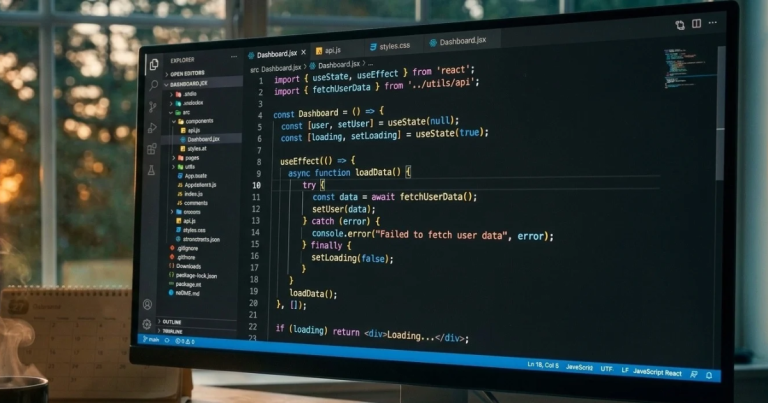



You know that feeling when someone gives you directions and says, “You can’t miss it,” and then you miss it? Developers have a version of that feeling with AI-generated code. It looks perfect. It runs. It even passes the first test you try. And then, two days later, something strange happens in production and you find out the code was quietly wrong the entire time.
Stack Overflow’s 2025 Developer Survey put a number on this feeling, and it’s not small. The single biggest frustration developers reported with AI tools wasn’t that the tools are useless. It was that their answers are almost right, but not quite. About 66% of respondents picked that one.
I want to dig into that, because it explains a lot about why AI coding is simultaneously the most hyped thing in tech and the thing that makes experienced engineers sigh the loudest.
Why “almost right” is worse than “wrong”
At first, this seems backwards. Wouldn’t completely wrong code be worse?
Not really. Totally wrong code announces itself. It fails to compile, it throws an error, it does something obviously silly. You see the problem in five seconds and move on.
Almost-right code is sneakier. It compiles. It looks professional. It uses the right library and the right naming style. It handles the normal case. It just mishandles the edge case where the user’s name has an apostrophe, or the date falls on a leap day, or two requests arrive at nearly the same moment.
That kind of bug is expensive because nobody’s looking for it. You trusted the code because it looked right. The better AI tools get at looking right, the harder it is to catch the places where they aren’t.
Here’s a way to picture it. Imagine proofreading a document where every sentence is grammatically perfect, and perhaps 5% of them say something subtly false. That’s way harder than proofreading a document full of typos. Your eyes slide right over it.
The second-biggest complaint is even more telling
The next most common frustration in the survey was that debugging AI-generated code takes longer than expected. About 45% of respondents said so.
That one hits a different nerve. A lot of the pitch for AI coding is speed. You describe the feature, the tool drafts it, you ship it. But if you spend an hour untangling code you didn’t write and don’t fully understand, the time you “saved” evaporates.
Here’s the thing, though. Developers have always spent more time reading and debugging code than writing it. AI hasn’t changed that. It’s just shifted where the work happens. Less typing, more reviewing. And reviewing code you didn’t write is mentally harder than reviewing code you did, because you don’t have the memory of why you made each decision. Nobody made those decisions. A model predicted them.
If you’ve ever inherited a project from a coworker who left the company, you know the feeling. Now imagine inheriting a new one every morning.
The speed illusion
There’s a trap in how we measure productivity with these tools. The first draft appears in seconds, and that feels like a huge win. Your brain gives the tool credit for the whole task, when it only did the first part.
Real software work has more steps than writing. You have to read it, test it, make sure it fits the existing codebase, handle security, write documentation, get a teammate’s review, and keep it working for the next three years. AI is remarkably good at the first step and decidedly mixed on the rest.
That’s why a lot of developers report feeling faster while the actual delivery timeline barely moves. Stack Overflow’s survey points to something similar. People say the tools help, and many agent users report productivity gains. But the frustration data tells you there’s a hidden cost line running underneath.
I’m not saying the gains aren’t real. For plenty of tasks they absolutely are: boilerplate, repetitive test cases, converting data from one format to another, writing a quick script you’ll run once. Those are great uses. The mistake is assuming the same speedup applies to everything.
Where AI helps the most
AI generated code problems
Let me be fair to the tools, because this isn’t a hit piece. Based on how developers describe their use, AI tends to shine in a few situations.
Getting unstuck. You hit a weird error message and have no idea where to start. Asking an assistant to explain it and suggest three possible causes can save you an hour of searching.
Learning something new. Picking up an unfamiliar framework? Having a patient explainer that can answer follow-up questions is genuinely valuable.
Boring, repetitive code. Config files, data mapping, standard test patterns. Nobody’s career dream is writing the fortieth variation of the same form validation.
First drafts of small, well-defined pieces. A single function with clear inputs and outputs, where you can verify the result quickly.
Notice what these have in common. The task is small, the result is checkable, and a mistake is cheap. That’s the sweet spot.
Where AI struggles
Now the flip side. Developers describe running into trouble when:
The task depends on context the tool can’t see. Your company’s unusual architecture, the historical reason a weird workaround exists, the unwritten rule that “we never touch that module on Fridays.” The model doesn’t know any of it.
The problem is genuinely new. AI is trained on existing code. When you’re doing something that hasn’t been done much before, it tends to pattern-match to something that looks similar but isn’t.
Security and edge cases matter. Anything touching authentication, payments, or personal data deserves human scrutiny. A subtle flaw there isn’t an annoyance. It’s a headline.
The change spans many files. Small fixes are one thing. Large, coordinated changes across a big codebase are where “almost right” compounds, because one wrong assumption gets copied into ten places.
What developers actually do about it
The survey offers a revealing clue here. When developers don’t trust an AI answer, roughly three quarters said they’d ask a person. Others check documentation or search for another source. In other words, the working strategy isn’t “believe the tool” or “ignore the tool.” It’s verify.
Here’s a routine I think works well, and a lot of experienced developers seem to land on something similar.
1. Ask for small pieces. Instead of “build me the whole checkout system,” ask for one function. Smaller outputs are easier to read and easier to catch mistakes in.
2. Ask it to explain its code. If the explanation doesn’t make sense, the code probably doesn’t either.
3. Write the test first, or at least alongside. If you know what correct looks like, you can check the output against reality instead of against vibes.
4. Try to break it. Feed it weird input. Empty values. Huge values. Unicode. Negative numbers. If something’s going to crack, make it crack on your machine.
5. Review it like a stranger wrote it. Because, functionally, one did.
6. Don’t merge what you can’t explain. That’s my firmest rule. If you can’t tell a teammate why the code works, it isn’t ready.
None of this is complicated. It just takes discipline, and discipline is exactly what gets thin when a tool makes everything feel easy.
The skills that quietly get more valuable
There’s an irony hiding in all of this. As AI gets better at producing code, the human skills that matter most are the ones that surround code.
Reading code carefully. Debugging. Understanding requirements. Asking “what happens if this fails?” Knowing how systems behave under real-world pressure. Explaining tradeoffs to non-technical people.
These are the exact skills that let you catch an “almost right” answer before it ships. A developer who can do them is more valuable with AI, not less, because they can safely use the speed without paying the hidden cost.
On the other hand, a developer who relies on AI for everything and can’t evaluate the results is in a shaky spot. The tool can’t tell them when it’s wrong. That’s the part people often miss.
What it means for teams and managers
AI generated code problems
If you lead a team, the “almost right” finding should change how you think about AI rollouts.
Plan for review time. If code is being produced faster, more code needs to be checked. Reviewers can burn out quickly when they’re drowning in generated changes.
Be careful with junior developers. They’re the most likely to accept an answer that looks right and the least likely to notice the flaw. Pair them with someone experienced and encourage questions.
Track quality, not just speed. How many bugs show up after release? How much rework happens? How many incidents trace back to code nobody really understood? Those numbers tell you the real story.
And talk about it openly. Plenty of developers feel pressure to say AI makes them dramatically faster, even when their daily experience is more mixed. Create a space where people can say, “That tool wasted my morning,” without feeling like they’re resisting progress.
Is this just growing pains?
Maybe. Tools improve. The frustration data in a few years may look very different, and the models behind these tools are getting better steadily. It’s entirely possible that “almost right” shrinks to “usually right” and then to “right enough.”
But I’d be careful about assuming the problem disappears. Even if the error rate drops, the cost of the remaining errors may go up, because we’ll trust the tool more and check it less. A tool that’s right 99% of the time and unchecked can do more damage than one that’s right 80% of the time and always checked.
That’s the real lesson of the survey, I think. It isn’t “AI is bad.” It’s that confidence and correctness aren’t the same thing, and humans are very easily fooled by the first when judging the second.
The takeaway
If 66% of developers are telling you their biggest problem is code that’s almost right, believe them. Use AI for what it’s good at. Verify what matters. Keep your own skills sharp, because they’re what catch the near-misses.
And if you’re just starting out, give yourself the gift of understanding what you ship. Future you, at 2 a.m., debugging something you pasted in six months ago, will be grateful.
What’s the sneakiest “almost right” bug an AI tool has ever handed you? I’d love to hear it.

I am Bhaktahari Dahal, the founder and writer of Byte and Trail. I passionately research technology, blogging, and diverse fields to deliver clear, simplified, and engaging content for my readers. Welcome aboard!